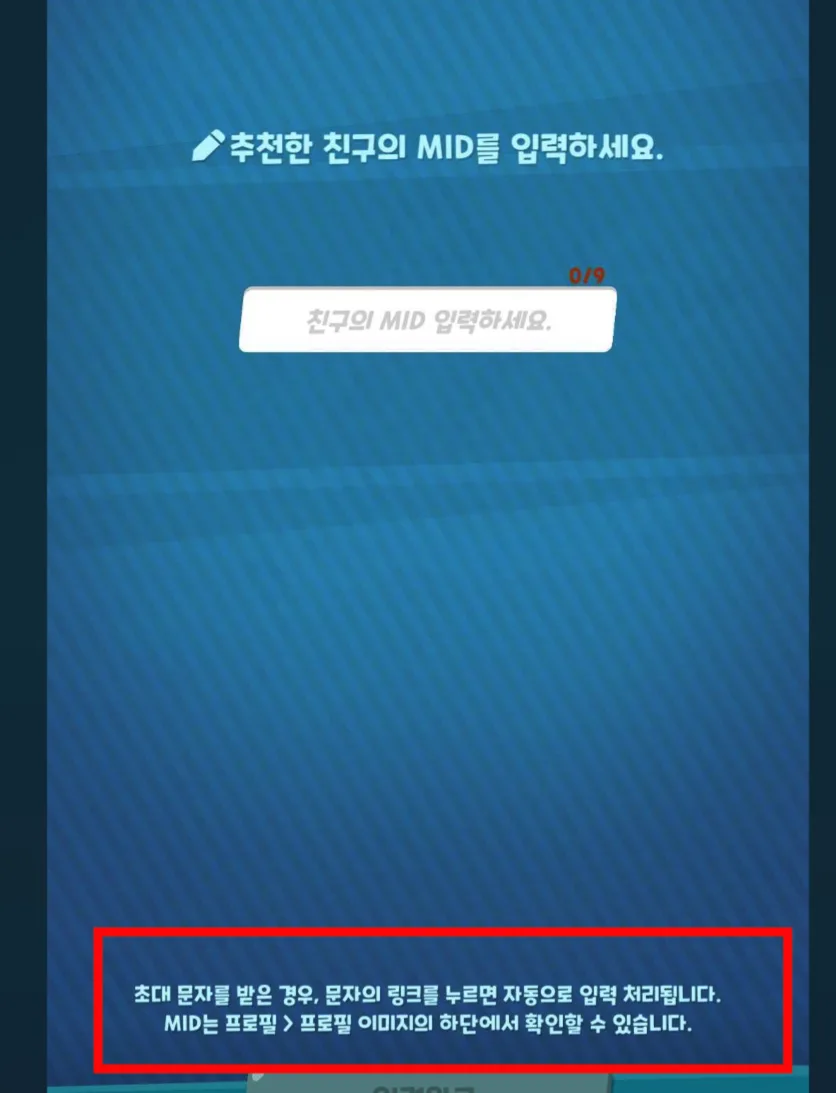
How to get your invite code
- On the Crumble home screen, select the Sour & Sweet Bears icon, third from the top in the vertical event list on the right.
- On the friend invite event screen, select the “Invite Friends!” button at the bottom.
- Paste the copied invite link or code into the website’s “Post my code” modal.
Public invite codes
Press “Copy link” on any row to copy that invitation link immediately.
After the pinned code, codes with fewer copies appear first.
Loading invite codes...
Frequently asked questions
- I can’t see [Enter Recommended Friend].
In CookieRun: Crumble, [Enter Recommended Friend] no longer appears in the following cases:
- It does not appear if you have already entered a recommended friend’s MID.
- If you received an invitation text and opened its link, the MID was entered automatically, so the button no longer appears.